
You built the website. You wrote the pages. You did everything right.
And then you searched for your business on Google and it wasn't there.
This isn't as rare as you'd think. We see businesses constantly investing real time and money into their website, only to find out that Google has been ignoring most of it.
Not because the content is bad. Not because the design is wrong. But because no one ever told Google those pages existed.
That's the problem sitemap indexing solves. And once you understand how it works, you'll never launch a page without thinking about it again.

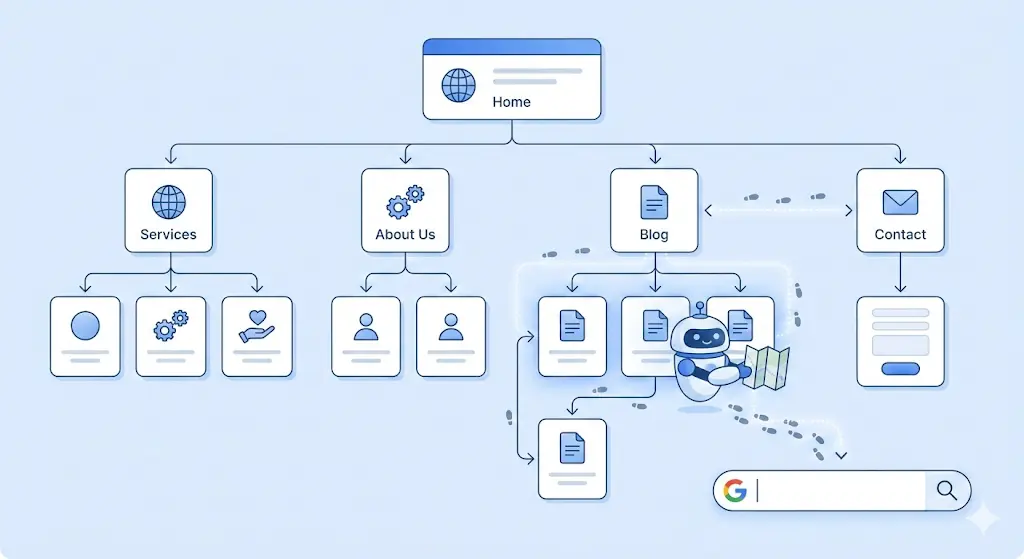
Think about a library you've built from scratch. Thousands of books, organized in a way that makes total sense to you. Now imagine a librarian walks in for the first time. They have no idea where anything is. They'd have to start at the entrance, walk down every single aisle, and pull out every single book just to understand how the place is structured and that would take forever.
So you hand them a floor plan. That's exactly what a sitemap does for Googlebot.
In technical terms, a sitemap is an XML file that lists all your important URLs along with optional metadata like when each page was last updated and how frequently it changes. Once you create it and submit it through Google Search Console, Googlebot uses that "map" every time it visits your website, so it finds your pages faster and more accurately.
Sounds straightforward. And it is until something goes wrong between "I submitted my sitemap" and "my pages are showing up on Google."

Here's where most website owners get confused and it's quietly costing them rankings.
Crawling is when Googlebot visits your page and reads what's on it. Indexing is when Google decides to add that page to its database so it can actually appear in search results. These are two completely separate steps, and a page can be crawled without ever being indexed. Equally, a page can sit in your sitemap for months without ever being crawled at all.
So when someone says "my page isn't showing up on Google," the issue could be at either stage. Your sitemap helps primarily with crawling; it tells Google a page exists and is worth visiting. But whether Google actually indexes it depends on a whole other set of factors: content quality, duplicate content, technical errors, and crawl budget, among others.
Understanding this distinction is the foundation of diagnosing any indexing problem and the reason why so many SEO fixes end up targeting completely the wrong thing.
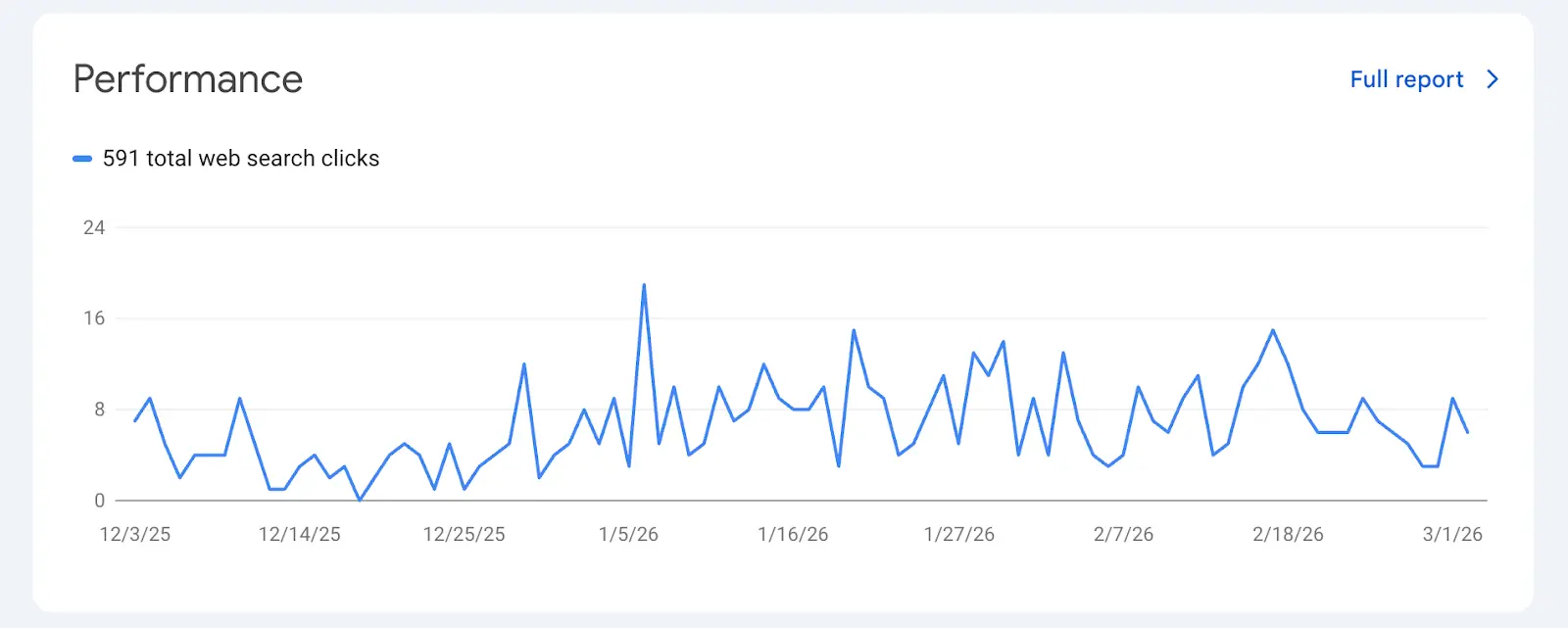
Google has gotten significantly better at crawling the web on its own, so you might be wondering whether a sitemap is even necessary anymore. For small websites with strong internal linking, a sitemap might not make a dramatic difference Google will probably find your pages eventually. But "eventually" can mean days, weeks, or even months, and in SEO, timing matters.
For larger sites, new websites with little domain authority, or local service businesses that need to rank quickly in competitive areas, a sitemap isn't optional, it's critical. It ensures Googlebot doesn't miss pages buried deep in your site structure, helps Google understand how your content is organized, and makes sure crawl budget is spent on the pages that actually matter to your business.
And since Google is constantly updating how it evaluates content, giving it every possible signal that your pages are legitimate, current, and well-organized is just smart SEO practice especially when you're competing against established local businesses for the same search terms.
If you're on WordPress, there's a good chance you already have a sitemap and just don't know it. Plugins like Yoast SEO, Rank Math, or All in One SEO generate and update your sitemap automatically. You can usually find it at yourdomain.com/sitemap.xml or yourdomain.com/sitemap_index.xml — go check right now, it might already be sitting there waiting to be submitted.
For custom-built websites, which is common for local service businesses built on Next.js, Webflow, or custom frameworks, you'll need to generate one manually or include it in your build process. Tools like Screaming Frog can crawl your site and generate a sitemap for you, and online generators like XML-Sitemaps.com work well for smaller sites.
One thing worth knowing upfront: Google mostly ignores the changefreq and priority fields in your sitemap these days. What actually matters is having accurate URLs and up-to-date lastmod dates that reflect when your content was genuinely last changed. Keep it clean, keep it current, and you're already ahead of most local business websites.
Creating your sitemap is step one. Telling Google about it is step two and it takes less than two minutes.
Log into Google Search Console and select your property. In the left sidebar, click Sitemaps under the Indexing section. You'll see a box that says "Add a new sitemap" — type your sitemap path there (just the path like sitemap.xml, not the full URL) and hit Submit. That's it. Google will now regularly check your sitemap for new or updated URLs and use it to guide Googlebot when it visits your site.
One thing people commonly miss: if you run a larger site, say, a service business with location pages for every suburb it covers, you'll likely need a sitemap index file. This is essentially a sitemap that points to all your other sitemaps. Each individual sitemap can hold up to 50,000 URLs, and the index file keeps them all organized in one place. It sounds complicated, but it's just a matter of structure. Google Search Central has the full documentation on how to set it up correctly.
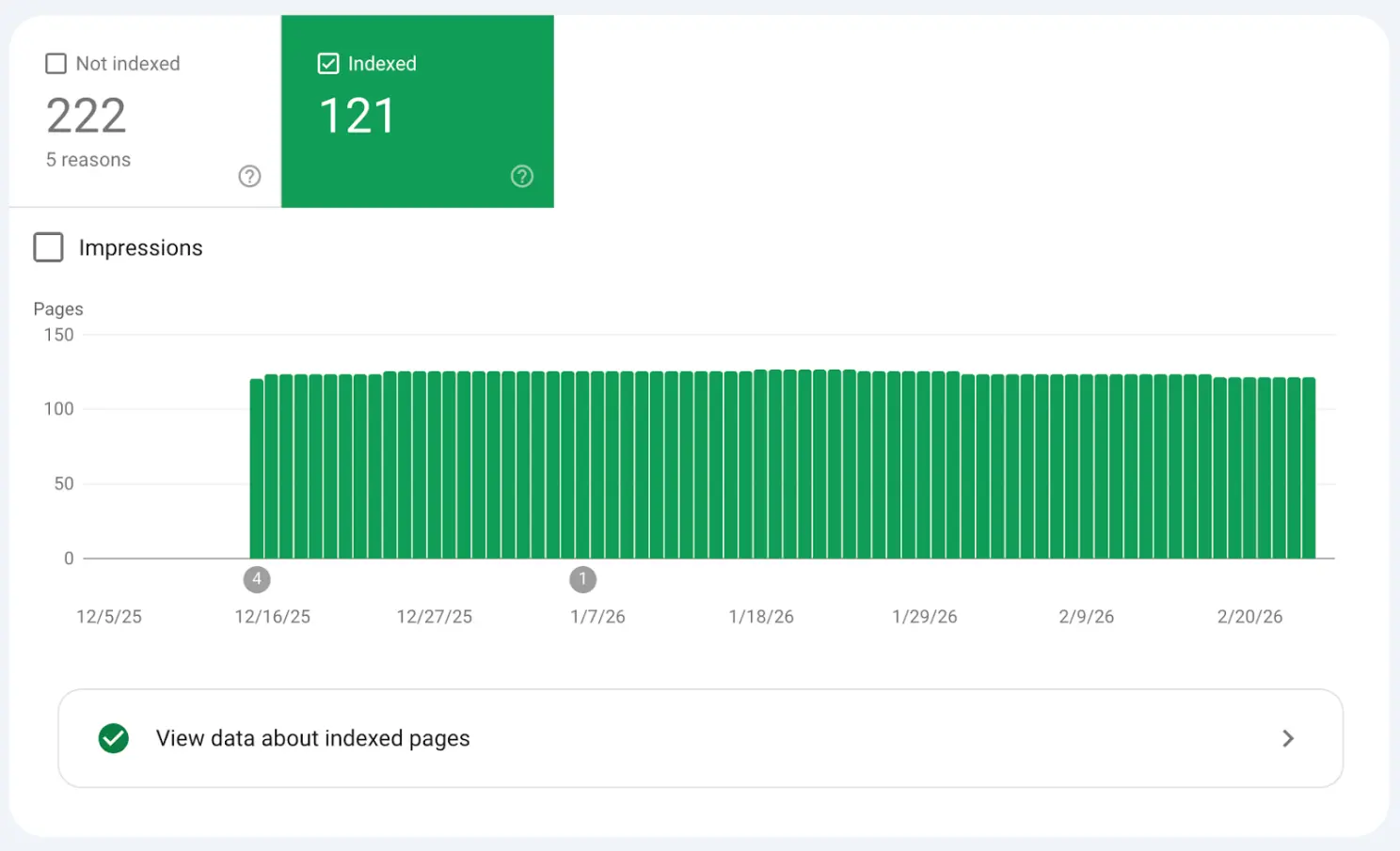
Once your sitemap is submitted, Google Search Console shows you exactly what's happening with it and this is where things get real.
The Sitemaps report gives you three key pieces of information: how many URLs were discovered in your sitemap, how many were actually indexed, and any errors Google encountered while processing the file. If you submitted 343 URLs but only 121 were indexed, as you can see in the screenshot above from one of our actual client projects, that gap is telling you something important and urgent.
The Indexing report (previously called the Coverage report) gives you even more detail. It sorts every page on your site into categories. Error means pages that couldn't be indexed due to a technical problem. Valid with warning means pages are indexed but something needs attention. Valid means pages are indexed and in good standing. And Excluded means pages Google chose not to index — sometimes intentionally, like pages with noindex tags, but often not. The Excluded bucket is where you'll find the most valuable insights, because the pages hiding there are usually fixable once you know why they ended up there.
robots.txt blocking the page or folder
noindex meta tag in the page HTML
x-robots-tag in HTTP headers
Example:
Image
Fix:
Allow crawling in robots.txt and remove noindex if the page should appear in search.
Google may simply not know the page exists.
Reasons:
Page not included in XML sitemap
No internal links pointing to the page
New page not yet crawled
Fix:
Submit the URL in Google Search Console
Add the page to your sitemap
Add internal links from other indexed pages
Google may crawl but decide not to index the page.
Common issues:
Very little content
Duplicate content
Auto-generated content
Pages with little value
Fix:
Improve page content
Add unique information
Avoid duplicate pages
If Google thinks the page is a duplicate, it may index another version.
Example problems:
Wrong canonical tag
HTTP vs HTTPS duplicates
www vs non-www versions
Example:
Image
Technical errors can prevent indexing.
Common ones:
404 errors
500 server errors
Slow loading pages
JavaScript rendering issues
Tools to check:
Google Search Console
Screaming Frog SEO Spider
Ahrefs
Google may remove pages from results due to policy violations.
Examples:
Spam content
Hacked website
Malware
You can check this in the Manual Actions section in Google Search Console.
If the website is new, Google may take days or weeks to index pages.
Submitting URLs through URL Inspection in Google Search Console can speed this up.
If a page has no internal links, Google might not find it.
Fix by:
Linking from main pages
Adding it to navigation
Including it in blog content

This is one of the most common mistakes, and one of the easiest to make without realizing it. Your robots.txt file tells Googlebot which parts of your site it can and can't crawl. If a page is listed in your sitemap but blocked in robots.txt, you're sending Google two completely opposite signals and Google will always respect the block and ignore the sitemap entry. Visit yourdomain.com/robots.txt and check that none of your important pages are accidentally being disallowed. We've seen this happen on newly launched sites where a developer left the "block all" rule from the staging environment in place, and the client had no idea their entire website was invisible to Google.
A noindex meta tag is a direct instruction to Google: don't include this page in your index. The problem is these tags often get added during development and never removed or a CMS platform applies them automatically to certain page types like tag archives or paginated pages without the owner realizing it. Use the URL Inspection tool in Google Search Console to check any specific page you think should be indexed. It will tell you precisely why a page is being excluded and takes all the guesswork out of the diagnosis.
Google doesn't automatically index everything it crawls. If a page has very little unique content or if it's essentially a copy of another page on your site Google may choose to skip it entirely. For a service business with multiple location pages (say, a steam cleaning company covering ten Brisbane suburbs), it's tempting to create near-identical pages for each area. But if those pages all say the same thing with just the suburb name swapped out, Google will often index only one and ignore the rest. The only real fix is making each page genuinely valuable and distinct local landmarks, specific customer pain points for that area, and unique testimonials. There's no technical workaround for content that doesn't earn its place in the index.
The canonical tag tells Google which version of a URL is the "official" one. If your canonical tags are pointing to different URLs than what's listed in your sitemap, you're creating confusion that Google has to resolve on its own and it might not resolve it in your favor. Always make sure every URL in your sitemap exactly matches its canonical URL, including whether it uses www or non-www and whether it includes a trailing slash. These details seem minor but they matter to Google, and inconsistencies across hundreds of pages can cause significant indexing problems at scale.
Crawl budget is a real limiting factor, especially for sites that have grown quickly or been migrated from another platform. Google allocates a certain amount of crawling resources to your site based on its authority and server performance. If your site is full of low-quality pages, thin content, or old redirect chains from a previous build, Googlebot may spend its entire budget on those and never reach your most important service pages. Keeping your sitemap clean only including pages you genuinely want indexed is one of the highest-leverage fixes you can make for a large site. SEMrush has a detailed guide on crawl budget optimization worth reading if this is affecting your site. Think of it as directing Google's attention rather than leaving it to wander.
If you're adding new service pages, blog posts, or location pages regularly but your sitemap isn't reflecting those additions, Google simply won't know those pages exist as quickly as you'd like. Most CMS plugins handle updates automatically, but it's worth verifying especially after a site migration, a platform switch, or any significant structural change to the site. We've audited sites where the sitemap was last updated 18 months prior and dozens of new pages had been added since. Every one of those pages was relying on Google finding them organically through links, which meant some had never been discovered at all.
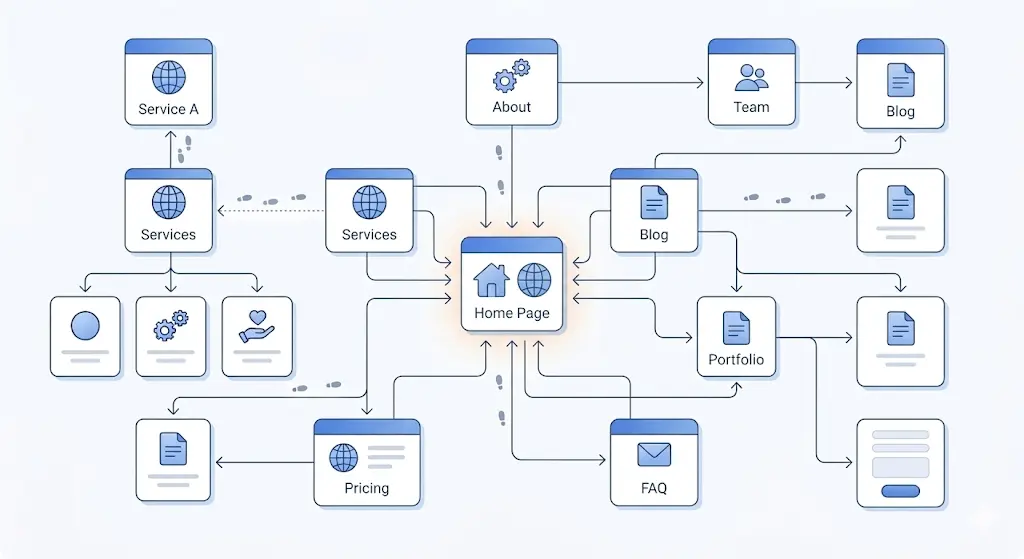
The honest answer is that it varies, and it depends on several factors you can only partly control.
For well-established sites with strong domain authority, new pages can get indexed within hours of being published. For newer sites or pages buried deep in a site's structure with no internal links pointing to them, it can take days or even weeks. The best thing you can do is reduce the friction between publishing and discovery.
The URL Inspection tool in Google Search Console lets you manually request indexing for a specific URL. It doesn't guarantee faster results, but it alerts Google that the page is ready — which is especially useful for time-sensitive content. Beyond that, internal linking is one of the most underrated tools for faster indexing. Google discovers new pages primarily by following links from existing ones, so if your new service page isn't linked from anywhere else on your site, Googlebot has no organic path to find it even if it's in your sitemap. Building backlinks helps too, because external links from other sites signal to Google that a page is worth visiting. And publishing consistently matters more than most people realize. Google's systems learn from patterns, and if your site regularly produces new, high-quality content, Googlebot will visit more frequently, which means everything you publish gets indexed faster over time.
Only include canonical URLs in your sitemap. Never add URLs that redirect to another page, pages tagged with noindex, or non-canonical versions of your content. A clean, focused sitemap always outperforms a bloated one, and Google processes it more efficiently when every URL it finds is genuinely meant to be there.
Always use absolute URLs with the full address including https:// and the www or non-www preference matching exactly what appears in your canonical tags, down to trailing slashes. Respect the file size limits too: each sitemap can contain up to 50,000 URLs and should be no larger than 50MB uncompressed. If you're approaching those limits, split into multiple sitemaps and use a sitemap index file to organize them.
One small but valuable step most people skip is referencing your sitemap in your robots.txt file. Adding the line Sitemap: https://yoursite.com/sitemap.xml means any crawler that reads your robots.txt, not just Google, will know exactly where to find it. And if your sitemap is very large, consider compressing it with gzip to reduce file size and speed up how quickly Google processes it. These aren't dramatic fixes, but they're the kind of details that separate a properly optimized site from one that's just getting by. For a deeper dive into sitemap best practices, Search Engine Journal's guide on sitemaps for SEO is a solid resource.
If your site relies heavily on visual content — galleries, before-and-after photos, video demonstrations — Google has specialized sitemaps designed specifically for that type of content.
An image sitemap helps Google discover images it might otherwise miss, particularly images loaded through JavaScript or images that lack descriptive alt text and strong surrounding context. For a service business like a cleaning company, where before-and-after photos are a major trust signal, making sure those images are discoverable in Google Images can drive real traffic.
A video sitemap lets you pass Google detailed metadata about your video content — the title, description, thumbnail URL, and duration — which helps your videos appear in video search results and rich snippet previews in a way that standard crawling alone rarely achieves. Both are worth setting up if visual content is a meaningful part of how you present your services. Google Search Central has the full documentation with the exact XML format required.
Submitting your sitemap is the beginning, not the end. The sites that stay on top of their indexing health are the ones that build monitoring into a regular routine rather than waiting for something to go obviously wrong.
Set a reminder to check Google Search Console at least once a month. Look at how your total indexed pages compare to the total URLs submitted and watch for any growing gaps. Check whether new errors or warnings have appeared in the Indexing report, whether any pages that were previously indexed have since been dropped, and how your crawl stats are trending under Settings in Search Console. If you ever see a significant drop in indexed pages, treat it as urgent; it could mean a technical issue crept in after a site update, a manual action from Google, or a content quality problem affecting pages at scale. The businesses that respond fast are the ones that don't lose three months of rankings before realizing something went wrong.
Sitemap indexing isn't the most exciting part of SEO. It doesn't come with the thrill of a viral backlink or the creativity of writing great content.
But it is the foundation everything else is built on. We've seen firsthand businesses in competitive Australian markets, doing everything right on the surface, but losing ground every day simply because Google couldn't find their pages. Once that foundation was fixed, the rest of their SEO started working the way it was supposed to.
If Google can't find your pages or decides not to index them, every keyword you've researched, every page you've built, and every dollar you've invested in your website becomes irrelevant. None of it matters if the page isn't in the index.
The good news is that most sitemap problems are completely fixable once you know what to look for. But if you'd rather not dig through Search Console reports on your own, that's exactly what we do at LangQuang. We're a Brisbane-based digital marketing agency helping businesses turn their websites into something Google actually wants to rank, from technical SEO and sitemap audits to full web design, development, and branding. Whether your site is brand new or has been live for years without gaining traction, our team knows where to look and what to fix.
You can explore our SEO services to see how we approach technical SEO, or browse our portfolio to see the work we've done for businesses across Brisbane and beyond. If you'd like us to take a look at your site specifically, get in touch — the first conversation is always free.
Set it up correctly, submit it to Search Console, check in regularly, and deal with issues before they become ranking problems. It's not complicated. It's just consistent. And in SEO, consistency is the whole game.
Let us help you create a high-performing digital experience that drives measurable results and long-term growth.

Brisbane Office
Camp Hill, Queensland 4152, Australia
Phone
(+61) 415 505 292
Services
Solutions
Booking & Scheduling Systems
Client Management Systems (CRM)
Custom Dashboards & Portals
E-Commerce Enhancements
Automation Tools
Reporting Templates
Newsletter for updates
Subscribe to get more updates

Connect with Us



In the spirit of reconciliation, LangQuang acknowledges the Traditional Custodians of Country across Australia and their enduring connection to land, sea, and community. We pay respect to their Elders past and present and extend that respect to all First Nations peoples with disability, their families, and careers.
© 2026 Langquang. All rights reserved.
Privacy Policy